
3D CAD Viewer for the Automotive Industry, OEMs, and Automotive Suppliers
Maximum performance for complex assemblies: The multi-CAD tool for OEM, Tier 1, and Tier 2 processes
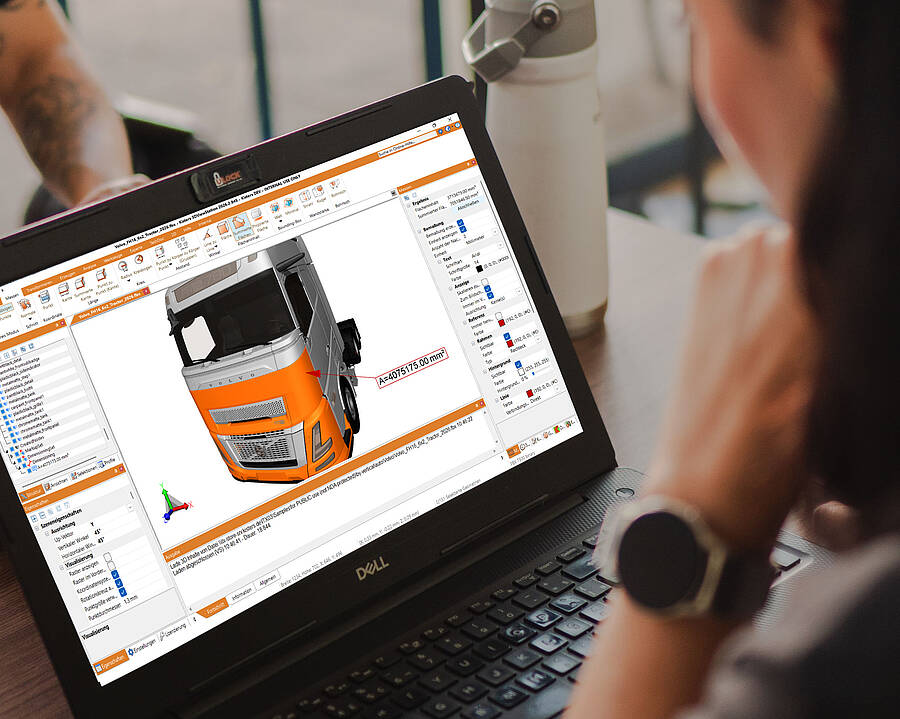
At a Glance: KISTERS 3DViewStation is a powerful enterprise 3D CAD viewer for the automotive industry, ranging from simple visualization of individual parts and assemblies to advanced analyses and digital mockups (DMU). It offers users across the entire process chain—including OEMs, Tier 1, and Tier 2 suppliers—easy-to-use features for vendor-neutral viewing, analysis, and conversion of even the largest CAD assemblies without the need for expensive CAD licenses.
- Applications: CAD-system-independent viewing and analysis of small, moderate, and even highly complex 3D CAD assemblies for OEMs, Tier 1, and Tier 2 suppliers.
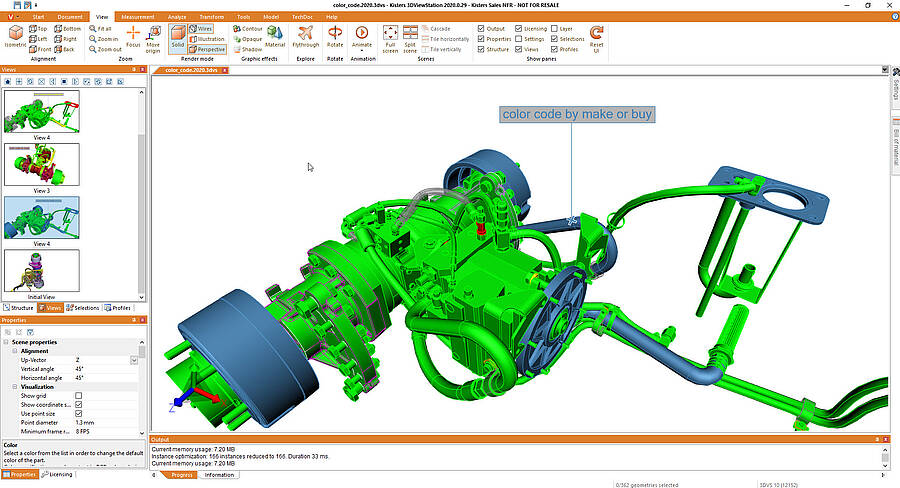
- Multi-CAD Performance: Powerful importers for CATIA, Siemens NX, Creo, JT, STEP AP242, SOLIDWORKS, and many more. View, measure, dimension, and compare assemblies extremely quickly, plus 180 additional specialized functions.
- Efficient Workflows: Make 3D CAD data available company-wide for purchasing, work planning, quality management, and sales—without the need for training.
We will be happy to advise you
Sales Germany
+49 2408 9385 517
Sales USA
+1 916 723 1441

Key Takeaways for Decision-Makers:
- E-Mobility & Assembly Complexity: Electric vehicles are gaining market share—3DViewStation visualizes even the most extensive sets of electric vehicle and battery data smoothly and without data lag.
- Significant License Cost Savings: Reduce expensive CAD licenses outside of engineering by up to 80%.
- True multi-CAD interfaces: Support for all leading native and neutral CAD formats.
The automotive industry is facing profound changes: electric mobility, increasingly complex digital vehicle data, global supply chains, regulatory requirements, and intense cost pressure make vendor-neutral tools such as KISTERS 3DViewStation essential for viewing and analyzing data-intensive 3D CAD assemblies more quickly and accelerating processes in development and manufacturing. For OEMs, Tier 1 and Tier 2 suppliers, as well as departments such as development, procurement, work planning, quality management, and sales, the efficient visualization and evaluation of 3D CAD data thus becomes a direct factor in productivity and competitiveness.
As a fast enterprise 3D CAD viewer, KISTERS 3DViewStation enables the seamless viewing, analysis, and conversion of even the most complex automotive assemblies. With its powerful direct importers for formats such as CATIA, Siemens NX, Creo, JT, STEP AP242, and SOLIDWORKS, the software eliminates data silos throughout the entire process chain—from vehicle development through purchasing and work planning to manufacturing. Company-wide teams benefit from full 3D data access, maximum IP protection, seamless IT integration, and the elimination of costly authoring CAD licenses.
Challenges in the Automotive Supply Chain: Multi-CAD, Electric Vehicles, and Massive Amounts of Data
Heterogeneous IT systems and large volumes of 3D data often slow down coordination within the supply chain. A high-performance 3D CAD viewer enables all departments to access 3D models immediately, without the need for costly CAD licenses.
Modern vehicle development relies on highly complex, global supply chains. Vehicle manufacturers (OEMs), modular system suppliers, and specialized component manufacturers rarely use the same CAD system in their design departments. Autonomous driving systems are increasingly driven by AI and powerful software. At the same time, they remain technically and regulatory challenging. At the same time, electromobility, software-defined vehicles (SDV), new powertrain concepts, and advanced driver-assistance systems (ADAS) are dramatically changing the complexity of components, assemblies, and bill of materials (eBOM / pBOM) at all levels of product development, while new technology providers from the IT industry are further reshaping the competitive landscape. At the same time, the industry is struggling with regulatory requirements and a shortage of skilled workers, particularly in IT and software.
Heterogeneous CAD systems, variant management, and data overload
Due to the increasing online sales of new cars and digital vehicle configuration, the demands on agile development processes are rising dramatically: Automakers must bring new model variants and custom equipment options to production readiness in ever-shorter cycles. This also means that information disclosure requirements in online sales are increasing, particularly when it comes to vehicle purchases.
In practice, design data is usually available in various native CAD formats. The exchange, viewing, and installation space analysis of data-intensive assemblies (such as a complete chassis, the body structure, an automatic transmission, or a complex high-voltage battery housing) completely overwhelm conventional CAD software and simple viewer programs. Since model variants and product data must be kept continuously up to date, traditional systems quickly reach their performance limits in this area.
Try 3DViewStation for 30 Days
High-performance 3D CAD viewing on Desktop and Web. Full feature set, no commitment and instant access.
Download free trial now
Real-World Example: 3D Visualization in an Online Vehicle Configurator

You can try out an online configurator here.
When a customer or dealer customizes a vehicle online—for example, with specific wheels, driver assistance packages, or interior options—the corresponding 3D data must be rendered in a matter of seconds and without any lag. KISTERS 3DViewStation serves as a high-performance engine in the background: It accesses the design’s eBOM/pBOM data directly, filters out the selected configuration, and displays the vehicle interactively in the web browser—without any long loading times or the need to disclose internal know-how.
Learn more about seamless integration into existing sales and CRM systems on our Product Configurator Integrations page.
Efficiency, Manufacturing Tolerances, and Cost Control in the Production Process
Precise digital tools for visualization, 3D modeling, inspection, and integrated 3D data management are crucial in automotive manufacturing for identifying design errors early on, adhering to manufacturing tolerances, reducing tooling costs, increasing productivity, and avoiding costly rework during the start of production (SOP). This eliminates the need for expensive CAD systems at workstations in purchasing, quality management, or logistics, enabling manufacturers and downstream departments to reduce costs during practical implementation.
Market & Cost Pressures in Vehicle Manufacturing
High production costs and raw material shortages are weighing on the automotive industry. In Germany in particular, OEMs and the entire supplier industry are under extreme pressure to streamline existing processes in design and work planning to ensure their competitiveness.
This is exactly where KISTERS 3DViewStation comes in: As a vendor-neutral enterprise 3D CAD viewer, it enables companies to save on expensive CAD licenses outside of the design department itself.
- No Expensive Licenses for Downstream Departments: Employees in purchasing, quality management, work planning, or sales do not need costly authoring CAD systems (such as CATIA, NX, or Creo) to perform assembly analyses, measurements, and visualizations.
- Significant reduction in IT and licensing costs: The widespread use of 3DViewStation drastically reduces the need for expensive workstation licenses.
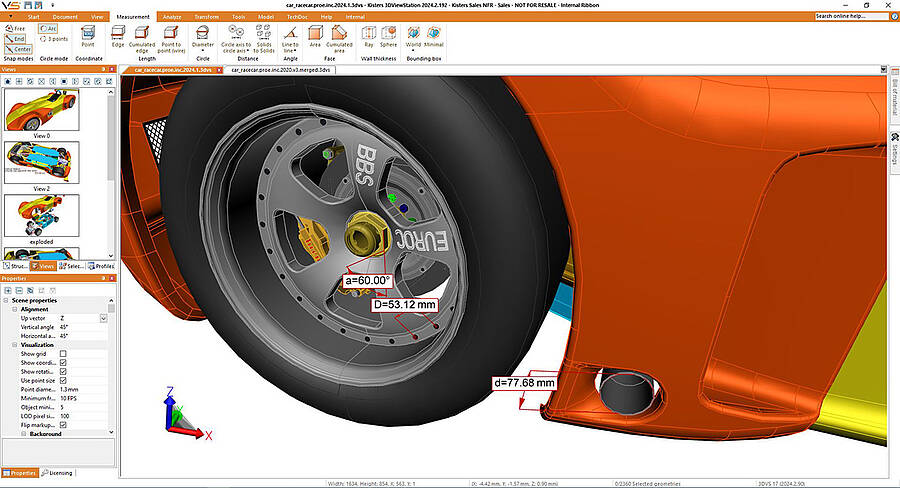
3D CAD Software for Suppliers and OEMs: The Process Chain from Design to Series Production
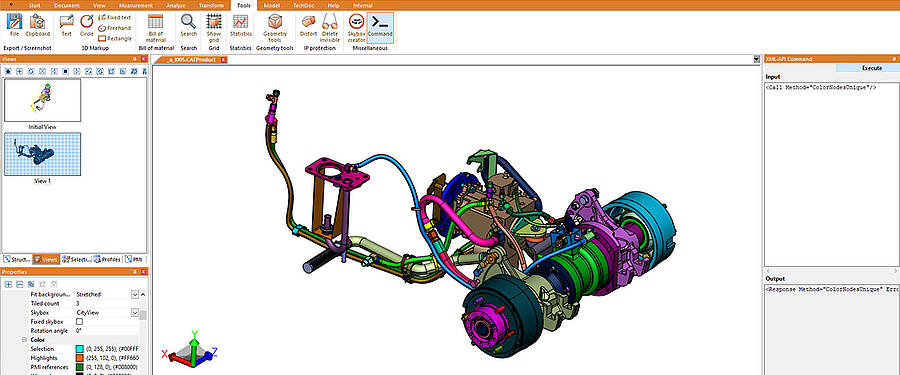
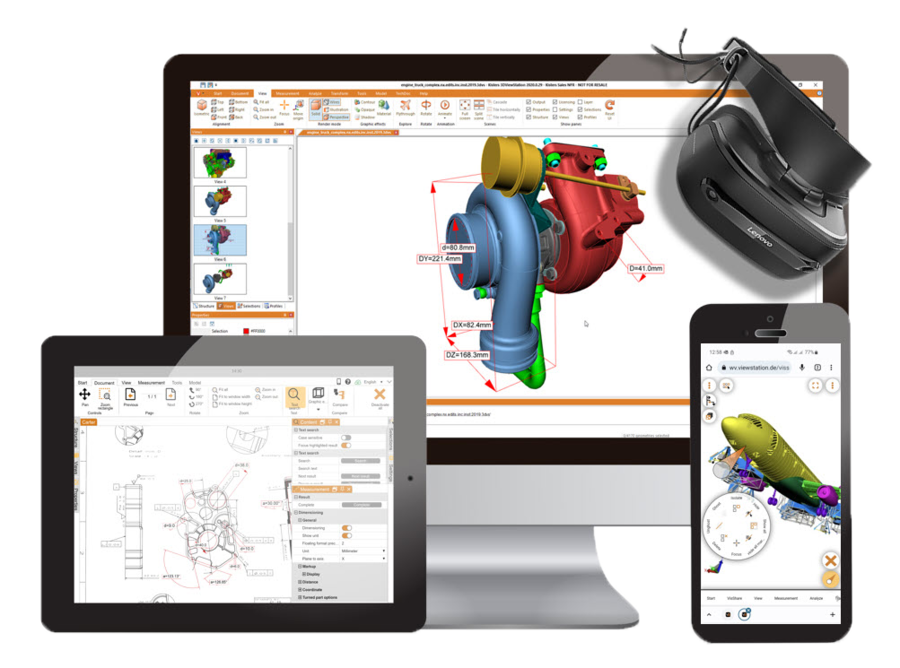
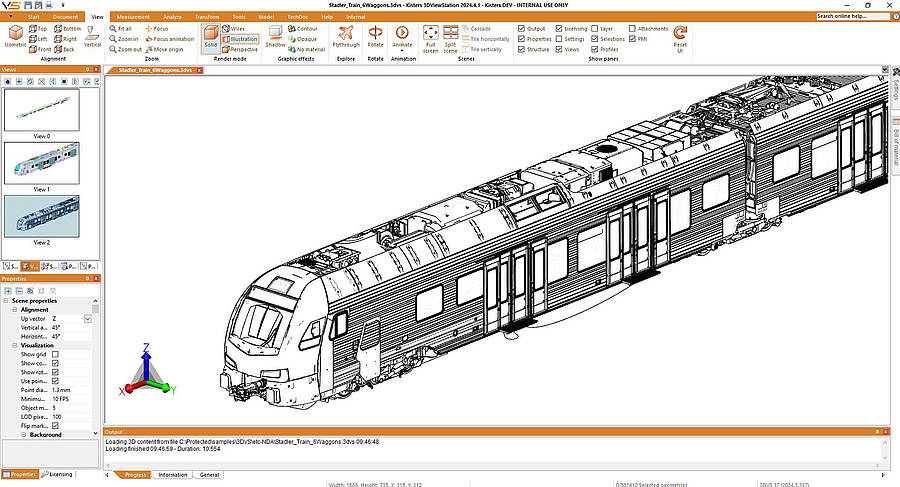
Location-Independent & Flexible: The 3DViewStation WebViewer Edition
New business models are increasingly emerging in the field of digital services. Traditional CAD systems reach their limits when data needs to be made available flexibly beyond the scope of pure development—for example, for interactive customer portals, digital service applications, or 3D spare parts catalogs.
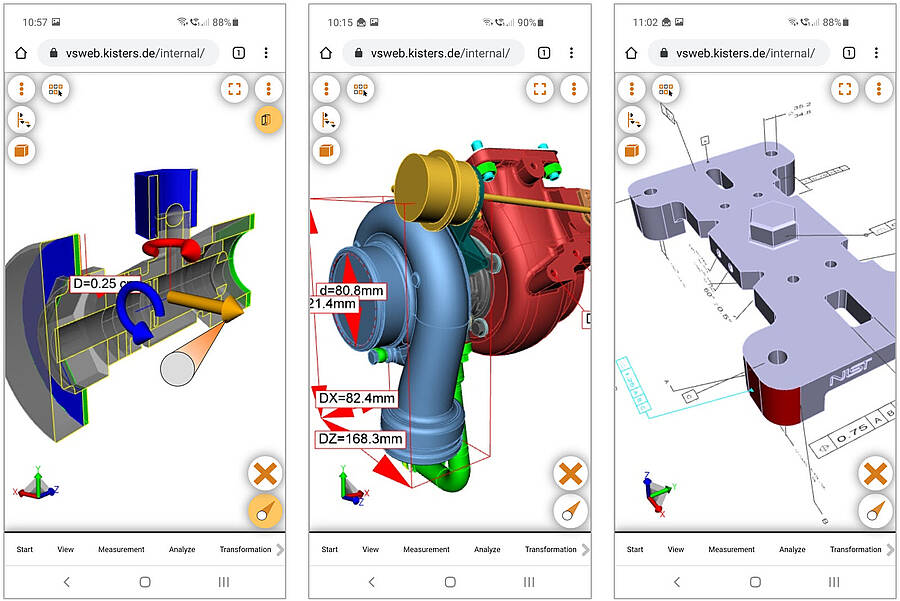
This is where the 3DViewStation WebViewer Edition comes in: As a high-performance, cloud-based HTML5 solution, it enables browser-based access to extremely large 3D CAD models from various devices and mobile terminals—whether laptop, tablet, or smartphone. This gives teams in manufacturing, at customer meetings, or within the global supply chain direct access to the latest digital twin at any time, enabling them to deliver modern services at scale without downloading sensitive data locally.
Visualization, Digital Twin, and Analysis in Practice
With 3DViewStation, users can open, view, and measure complex 3D models of the digital twin without the original CAD software. This enables rapid quality checks, target-actual comparisons, and assembly analyses at any workstation within the company.
Definition & Benefits: CAD (Computer-Aided Design) software forms the digital foundation of vehicle development and enables the precise creation and editing of 2D and 3D designs. While traditional design programs are primarily used in engineering, KISTERS 3DViewStation extends these benefits to the entire company: It enables end-to-end, cross-departmental quality management, reduces errors in the design process, and significantly speeds up coordination between OEMs and suppliers.
ROI Fact for Companies:
The company-wide deployment of the multi-CAD viewer enables a return on investment (ROI) from the first additional workstation outside the design department.
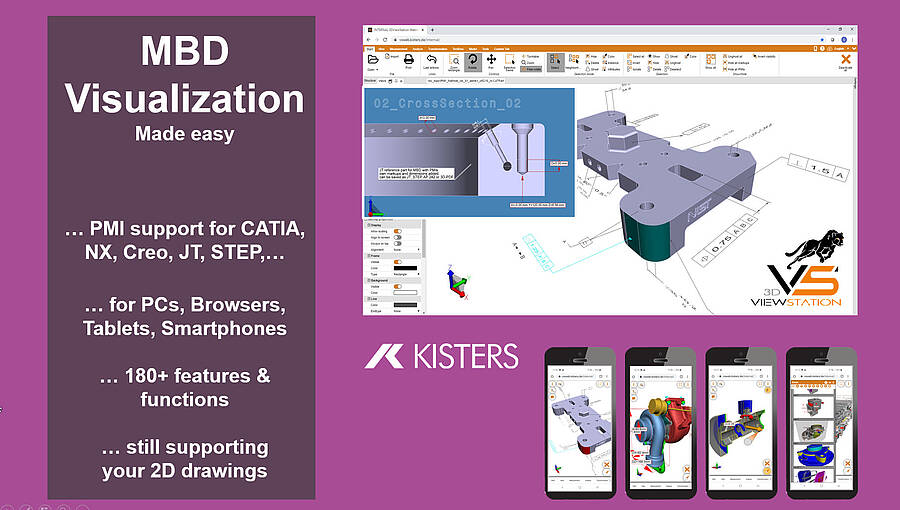
As a flexible multi-CAD program, KISTERS 3DViewStation processes both 2D drawings and 3D geometries with manufacturing information (PMI / Model-Based Definition / MBD) and provides essential functions for visualization, dimensioning, and geometric analysis. The viewer accelerates every step from design to implementation, thereby supporting better results.
Data Utilization and Documentation for Downstream Processes
The software facilitates the preparation of CAD data for follow-up documentation, technical manuals, training materials, and additional resources for downstream teams, as well as visual assembly instructions; similar visual documentation and planning processes are also well-established in other industries. In the construction industry, BIM is one of the most common examples of digital planning and documentation.
This allows information to be provided to downstream departments without design expertise in a way that is easy to understand, thereby facilitating practical implementation in subsequent processes.
Process: How to Analyze Assemblies in 4 Simple Steps
- Import CAD file: Open native 3D data from CATIA, NX, Creo, or interface standards such as JT (ISO 14306) and STEP (ISO 10303), or other formats via drag-and-drop.
- Visualize the assembly: Use the high-performance rendering engine to smoothly navigate, disassemble (exploded view), and slice even massive vehicle models.
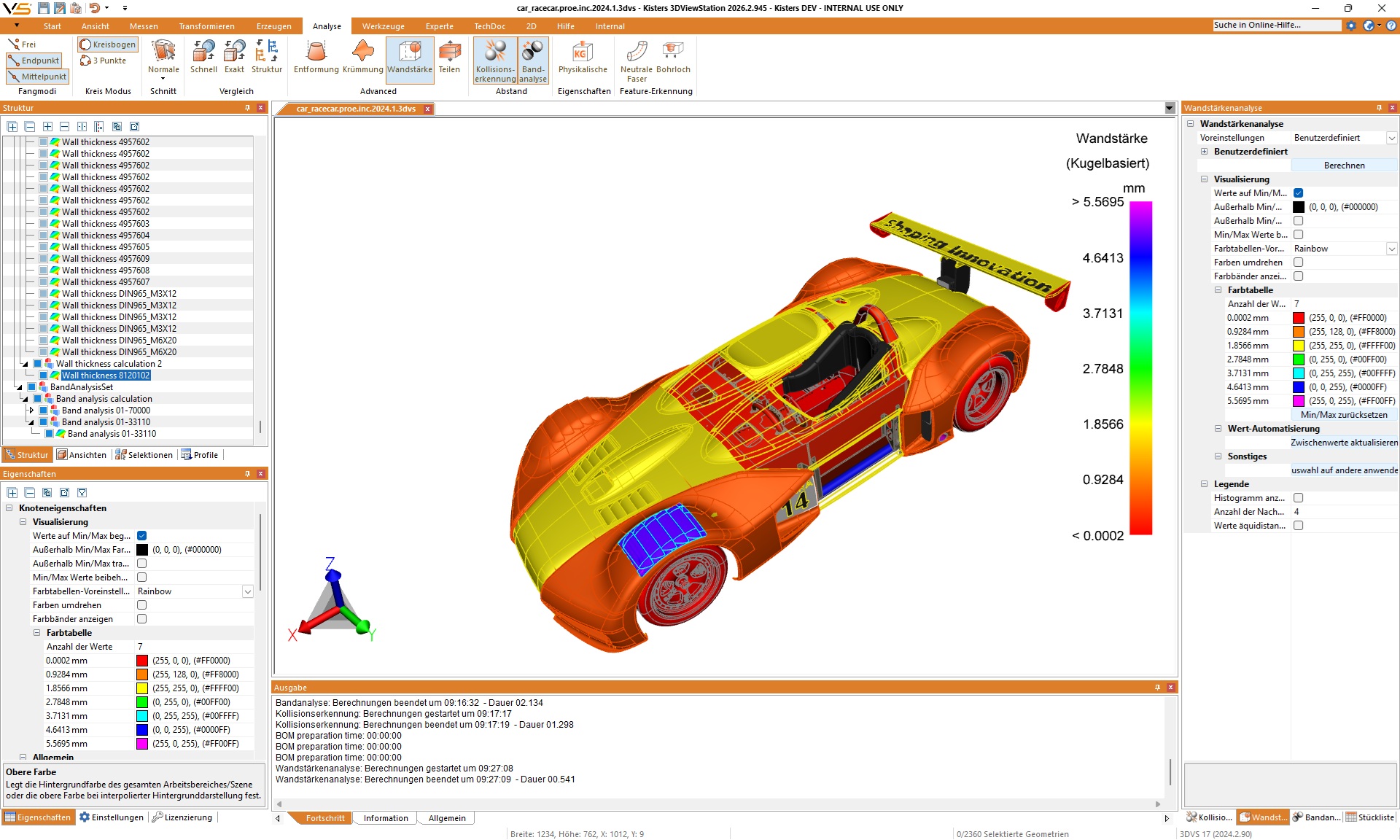
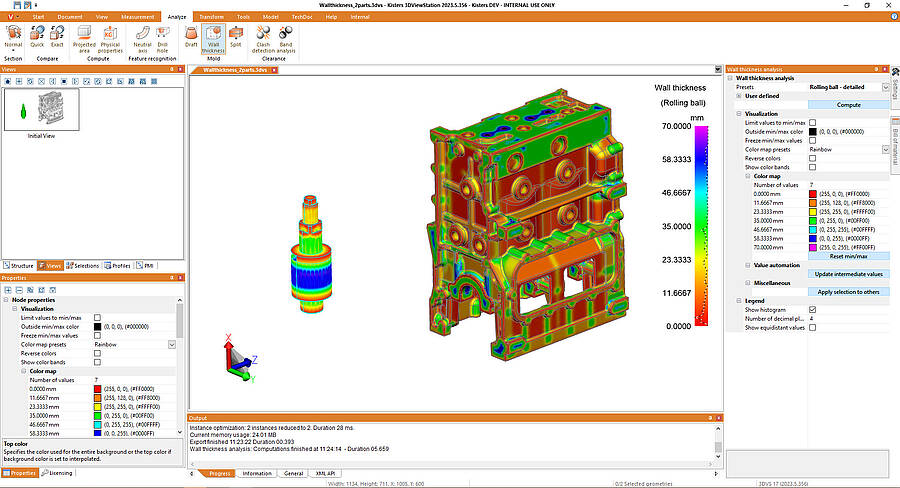
- Perform analyses and measurements: Take precise measurements, perform wall thickness analyses using visual heat maps, or compare two design versions (change management / ECO), and organize work results in views.
- Share results: Export annotated views, reports, or protected 3D geometries directly to colleagues, manufacturing partners, and customers.
Overview of Supported CAD File Formats & Interfaces:
- Native 3D CAD systems: CATIA V4/V5/V6, 3DEXPERIENCE, Siemens NX, PTC Creo / ProEngineer, SOLIDWORKS, Solid Edge, Autodesk Inventor.
- Neutral 3D standards: JT (ISO 14306), STEP (AP203, AP214, AP242), IGES, IFC, 3MF, STL.
- 2D Drawings & Documents: DWG, DXF, HPGL, PDF, TIFF, MicroStation (DGN).
The following overview shows which specific departments benefit from these capabilities in their day-to-day operations.

Operational Use Cases: Who Benefits in Automotive Manufacturing?
Efficiency Forecast: Immediate 3D data access for purchasing, work planning, and quality management reduces time-consuming design inquiries during the start of series production by up to 80%.
The implementation of a centralized visualization solution reduces the workload on the design department and distributes valuable 3D information throughout the entire company.
| Department / Role | Typical Scenario & Responsibilities | Benefits of 3DViewStation |
|---|---|---|
| Sales & Costing | Reviewing inquiries, taking measurements, determining weight and surface finishes. | Quick quotation preparation without waiting for CAD designers. |
| Work Planning & Production Planning | Assessing feasibility, planning production, and creating assembly instructions. | Error-free process planning directly on the digital 3D model. |
| Quality Management (QM) | Comparing target and actual specifications for initial prototypes (EMPB), measuring wall thicknesses, and checking tolerances. | Quick identification of discrepancies between the design and the manufactured part or product. |
| Toolmaking & Foundry | Determining ejection directions, undercuts, and wall thicknesses. | Early prevention of problems during demolding. |
| Sales & Field Service | Presenting complex assemblies during customer meetings or with OEMs. | Smooth 3D rendering on laptops and mobile devices. |
In addition to simple measurements, everyday engineering work often requires in-depth testing procedures, which are explained in the next section.

High-End DMU Analyses: Wall Thicknesses, Ejection, and Geometry Comparison
Key Feature: Digital Mockup (DMU) replaces costly physical prototypes with virtual testing directly on the digital 3D model.
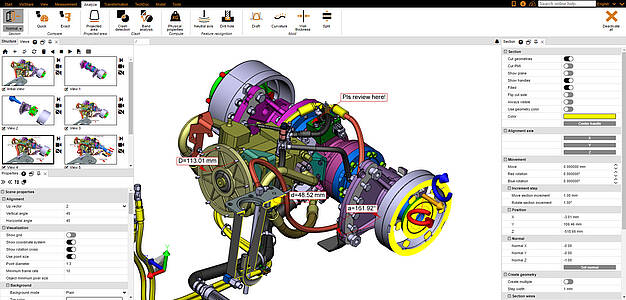
Simply viewing, cutting, and dimensioning is usually not enough for demanding development tasks. For in-depth inspections in vehicle development, 3DViewStation offers a comprehensive suite of Digital Mockup (DMU) tools:
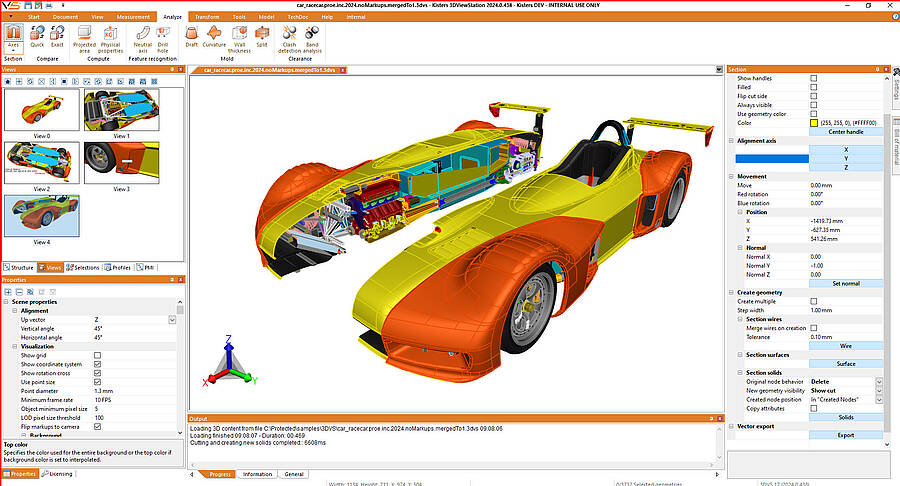
- First possible step: Create the prototype by loading existing CAD models into the same scene. This CAD data can come from different CAD systems or the same one. If necessary, the components are positioned correctly.
- 3D version comparison (geometric comparison): Visually compare two design stages (e.g., A and B samples) using automatic color highlighting to identify intersections, additions, and deviations in change management.
- Cast and injection molding analyses: Precise determination of wall thicknesses (including color heat maps), draft directions, and draft angles for cast and plastic parts in the body and interior areas.
- Advanced Volume & Area Calculations: Real-time determination of projected areas, center of gravity, masses, and surface areas for precise weight calculations and crash test preparations.
- Collision & clearance checks: Automatic detection of penetrations and minimum clearances in tightly packed assembly spaces (e.g., engine compartment, high-voltage battery, or axle architecture).
To perform these complex analyses even under extreme conditions
Maximum charging power thanks to the optional 3DVS format
Performance Boost: By converting files to the highly compressed 3DVS format, 3DViewStation reduces the loading times for complex complete vehicle assemblies by up to 95% compared to native authoring CAD systems.
For extremely data-intensive assemblies, such as complete vehicles in passenger car and commercial vehicle production, companies use conversion to the highly compressed, internal 3DVS format. This allows a complete passenger car, truck, or bus to be opened in less than a second and moved smoothly.
Scalable architecture for any IT infrastructure
- 3DViewStation Desktop: The high-performance Windows application for power users in engineering workstations.
- 3DViewStation WebViewer: A browser-based, extremely fast HTML5 CAD viewer that requires no installation on the end device (zero admin). Also ideal for occasional users and all mobile devices and portals—seamlessly integrates with VisShare, PLM, PDM, ERP, or MES systems (e.g., SAP, Teamcenter, Windchill).
- 3DViewStation VR Edition: Immersive digital mockups in virtual reality for ergonomics studies, design reviews, and virtual inspections.
In addition to performance, the security of sensitive development data plays an equally crucial role in external collaboration.
Intellectual Property (IP) Protection in Global Collaboration
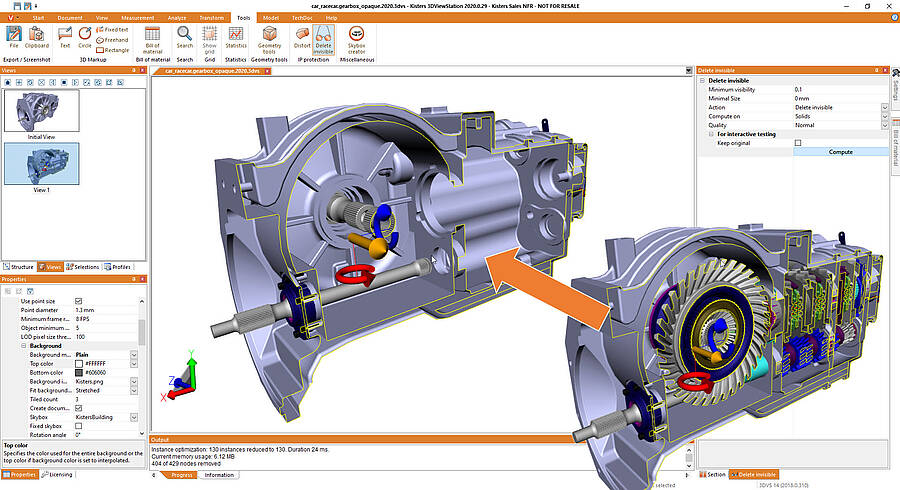
Security: Automatic IP protection features allow invisible components and internal geometries to be removed or obscured. Upon request, the software generates shrinkwrap or bounding boxes so that the recipient can verify connection dimensions and installation space while the internal design and trade secrets remain protected.
If external development partners, suppliers, or manufacturing facilities are granted access to sensitive 3D CAD data, your company’s technological know-how must be protected without compromise.
Distortion and Shrinkwrap Generation
Using 3DViewStation's built-in protection features, 3D geometries can be automatically tessellated, distorted, cleaned of invisible parts, or replaced with shrinkwraps and bounding boxes before being shared.
Frequently Asked Questions (FAQ)
Yes. 3DViewStation features its own highly optimized direct readers for CATIA V4, V5, V6, and 3DEXPERIENCE. You can open, measure, slice, and analyze native CATIA parts and assemblies directly without having to install an expensive CATIA license from Dassault Systèmes.
3DViewStation supports all common automotive formats, including native systems such as CATIA, Siemens NX, PTC Creo, SOLIDWORKS, Solid Edge, and Autodesk Inventor, as well as neutral 3D standards such as JT (ISO 14306), STEP (AP203/214/242), IGES, Parasolid, and ACIS. It also supports 2D formats such as DWG, DXF, HPGL, and PDF.
Thanks to its proprietary high-performance rendering engine and conversion to the highly compressed 3DVS format, even the most extensive assemblies with several million components (such as a complete vehicle, including the body-in-white, engine compartment, and interior) can be opened and navigated smoothly in just a few seconds—even on standard laptops.
KISTERS offers flexible licensing options, including local single-user licenses (node-locked), network licenses (floating/concurrent-user for rotating users), as well as server and cloud installations for browser-based access via the WebViewer Edition.
In the automotive industry, regulatory disclosure requirements (such as fuel consumption and emissions labeling under the Pkw-EnVKV based on WLTP values for passenger cars, electric vehicles, and plug-in hybrids) are becoming increasingly important. KISTERS 3DViewStation supports this process by visualizing structured product data, metadata, and variant information in the digital twin across departments and making it available for downstream documentation and communication processes.
In the automotive industry, regulatory disclosure requirements (such as fuel consumption and emissions labeling under the Pkw-EnVKV based on WLTP values for passenger cars, electric vehicles, and plug-in hybrids) are becoming increasingly important. KISTERS 3DViewStation supports this process by visualizing structured product data, metadata, and variant information in the digital twin across departments and making it available for downstream documentation and communication processes.
The software ensures intellectual property protection by automatically removing non-visible parts and obscuring sensitive geometries. By generating shrinkwrap models or bounding boxes, clearance checks can be performed without revealing internal designs or trade secrets.
Yes, through comprehensive APIs (interfaces), 3DViewStation can be seamlessly integrated into leading PLM, ERP, PDM, and MES systems such as Siemens Teamcenter, PTC Windchill, SAP, or any customer-specific systems.
Try KISTERS 3DViewStation for your assemblies
Would you like to see for yourself how quickly your complete vehicle assemblies load? Request a free 3DViewStation trial or schedule a personal consultation.